
Step 1: Open Courses
A course is a set of training modules that help you understand a certain topic. Courses in TTP can be purchased from our Computer Based Training library, built from scratch by an admin, or imported via SCORM from an existing or 3rd party training library.
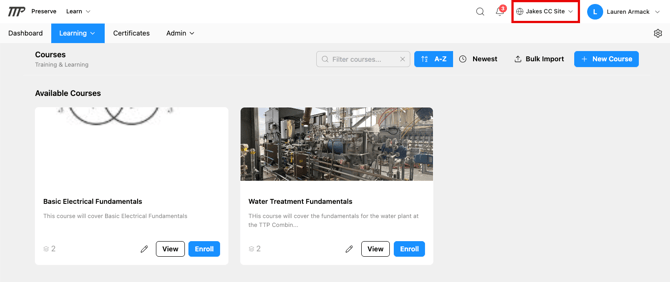
From the top navigation, click Learning → Courses. The page shows all courses available to you, organized into Drafts (admin-visible only) and Available Courses. If you see a site name in the site selector at the top of the page (next to the globe icon), the list only shows courses available at that site.
Use the search bar to filter by keyword, or sort by A–Z or Newest to find what you're looking for.
Step 2: Review a course
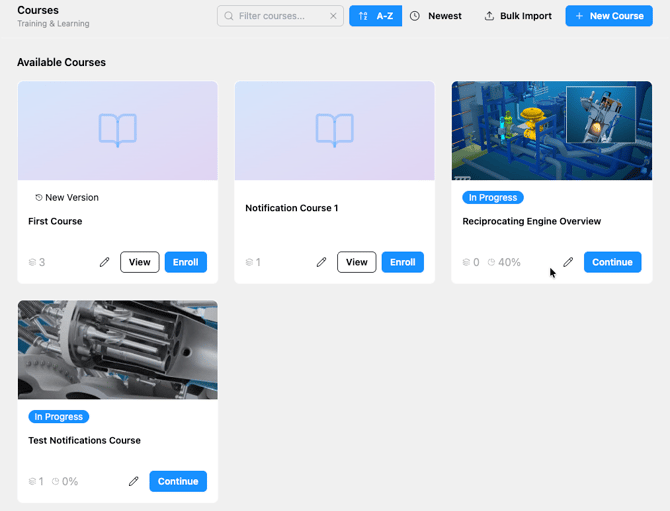
Each course card shows:
- A cover image or icon
- The course title and a brief description
- The difficulty level (Beginner, Intermediate, or Advanced)
- The number of modules
- An Enroll button (for published courses)
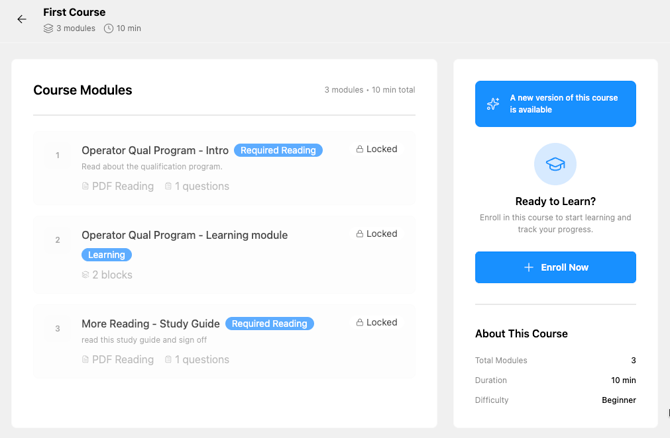
Click View on any card to see the full course details before enrolling — including the module list, total duration, and description.
Step 3: Enroll
Click Enroll on the course card, or click Enroll Now from the course detail page. Once enrolled, the course appears in the My Active Courses card on your Dashboard.
💡 If you're already enrolled in a course standalone AND in a learning path that contains the same course, you won't be prompted to enroll again — your existing enrollment carries over. If you unenroll from the standalone course and later join the path, you can re-enroll from within the path and your progress will be saved.
Enrolling through a Learning Path
A Learning Path is a set series and order of courses that makes up a "learning path". You may be automatically assigned a learning path based on your role and assignment, or you can enroll or request enrollment in an available learning path.
From the top navigation, click Learning → Learning Paths. The page shows the Learning Paths available to you. As with courses, if you have a site selected, you'll only see paths available at that site.
Most Learning Paths let you click Enroll right away. Some are restricted: click Request Access instead, and an admin approves your request before you're enrolled. Private Learning Paths don't appear in the list at all. If you need one, your admin will enroll you.
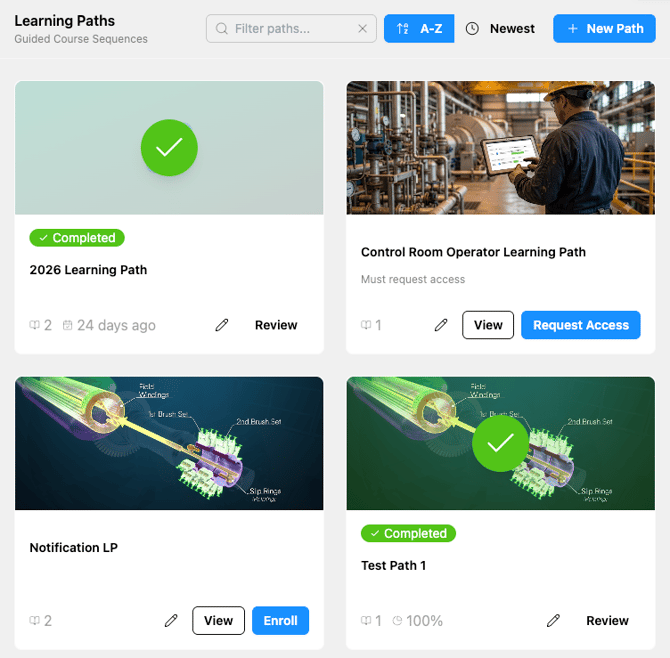
Enrolling in a Learning Path doesn't enroll you in its courses automatically. Open the path and enroll in each course from there. If you've already made progress in one of the courses, you'll pick up where you left off.
Can't find a course or learning path?
Check the site selector at the top of the page in the navigation bar . Training only shows at the sites it's been made available to, so if you work at more than one site, try switching.
Restricted or private paths may need a request, or your admin may need to enroll you.
Still missing? Ask your Learn Admin to check whether it's been made available at your site.